Everything You Need to Invoice Like a Pro
Create professional invoices, quotes, and tax invoices. Send documents in minutes, track your business, and impress your customers.
For contractors, freelancers, owner-operators, creatives, and other small business owners.
How It Works? Excel Invoice Template
The Easiest Excel Invoicing Template You’ll Ever Use
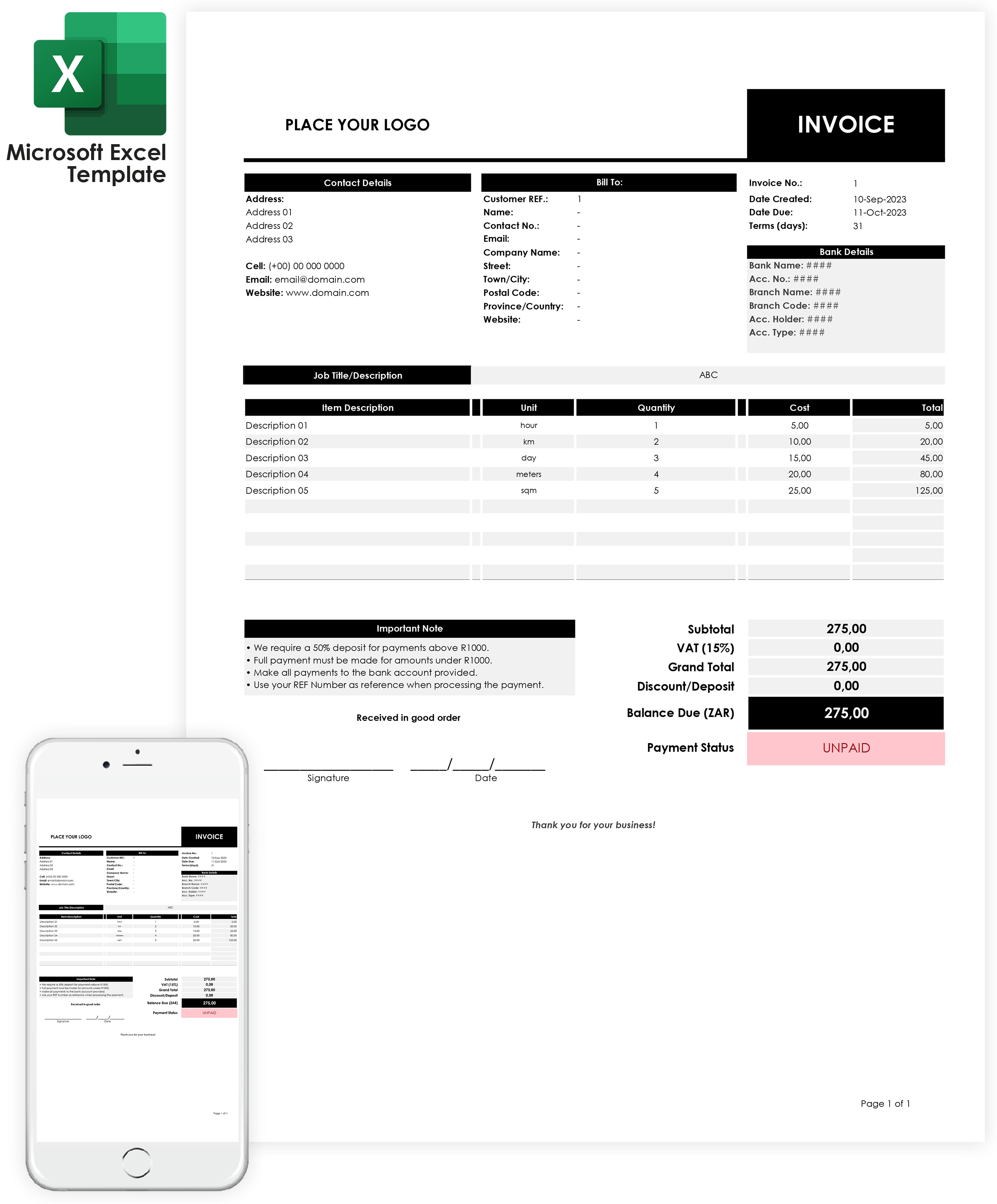
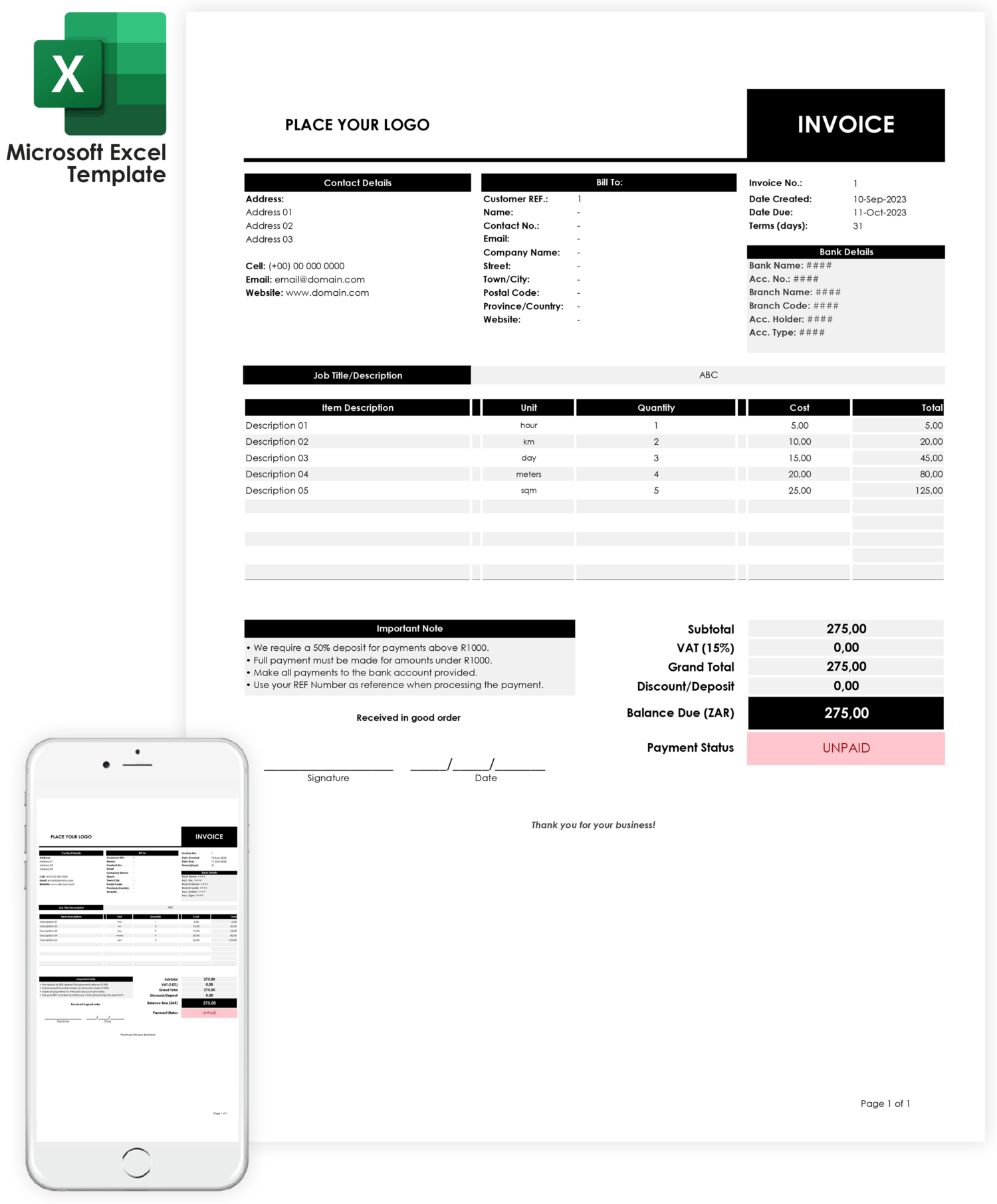
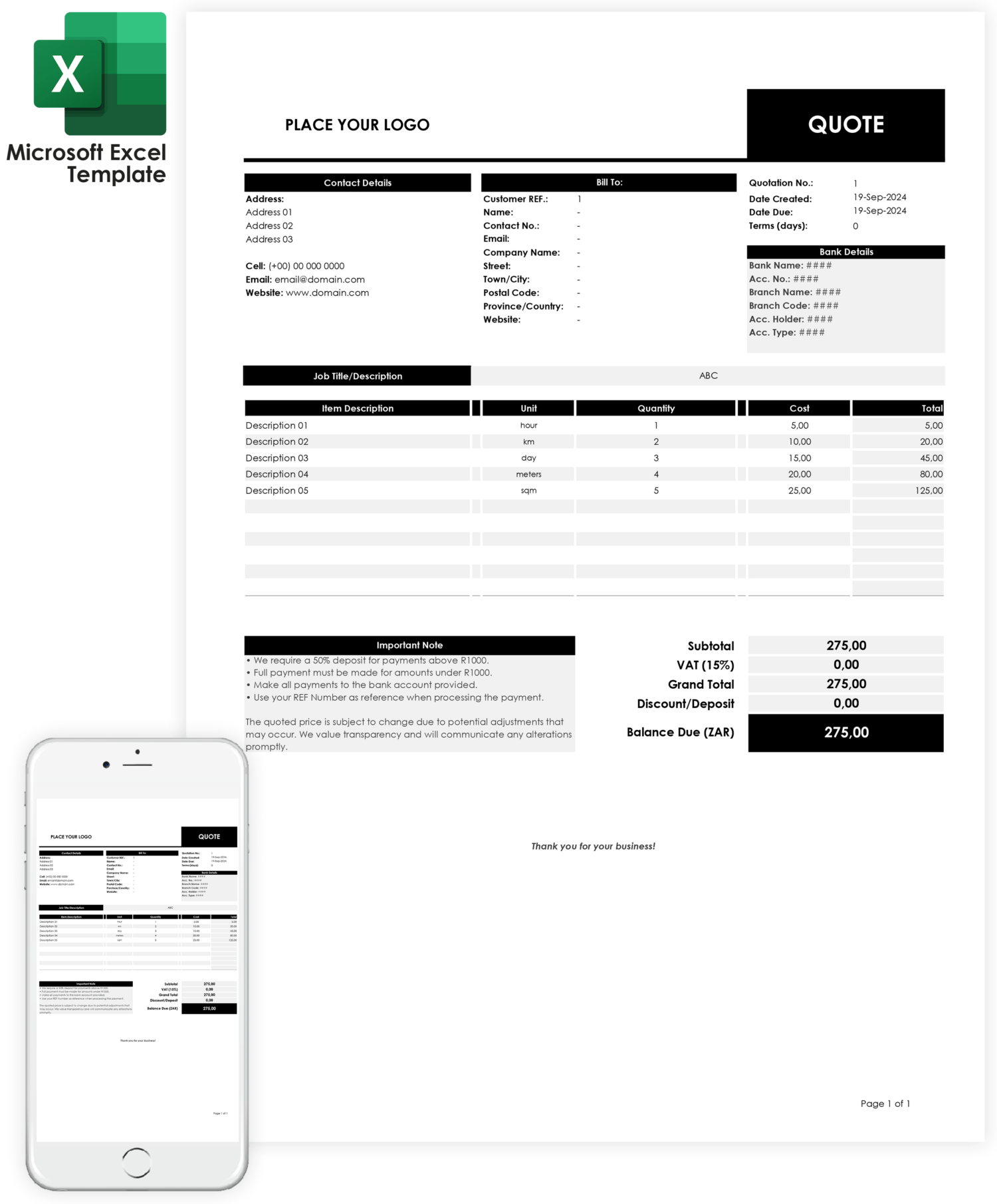
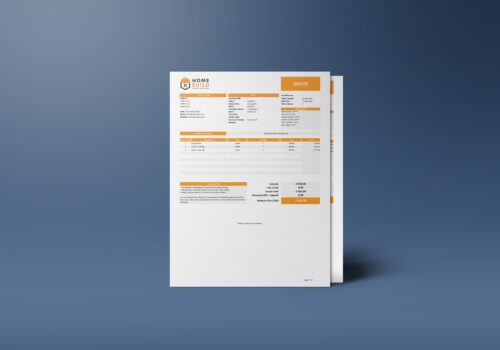
Looking to send an invoice right now? Use our downloadable, printable and fully customizable excel invoice template to manage your invoicing from any device, anytime. Send estimates immediately to secure new jobs.
What you get? Invoice Template Features
Microsoft 365 or Microsoft Copilot mobile is a new app that can help you be more productive on your mobile device. Get it for free for PC/Laptops, Android phones and for iPhone. Launch Excel from your Microsoft 365 suite.


Once the template opens, you can edit text fields like your company name, address, logo, and invoice details. This makes Excel an excellent tool for creating professional, easy-to-manage invoices, particularly for users looking for flexibility and cost savings.
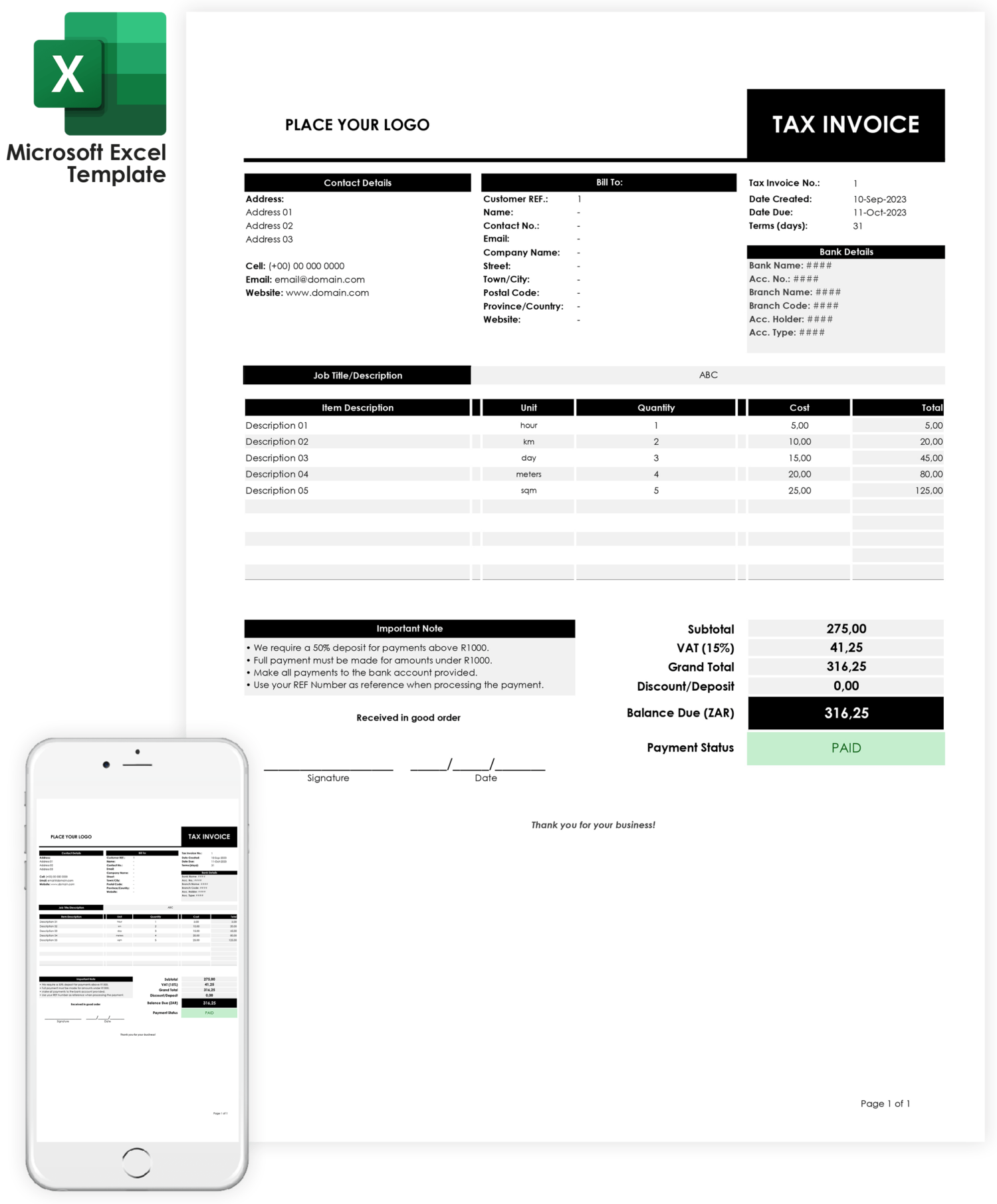
Tired of doing math? Let the template do it for you! Our Auto Calculations feature takes care of everything—taxes, discounts, totals—so you don’t have to. It’s quick, easy, and eliminates costly errors, helping you bill your customers accurately every time.
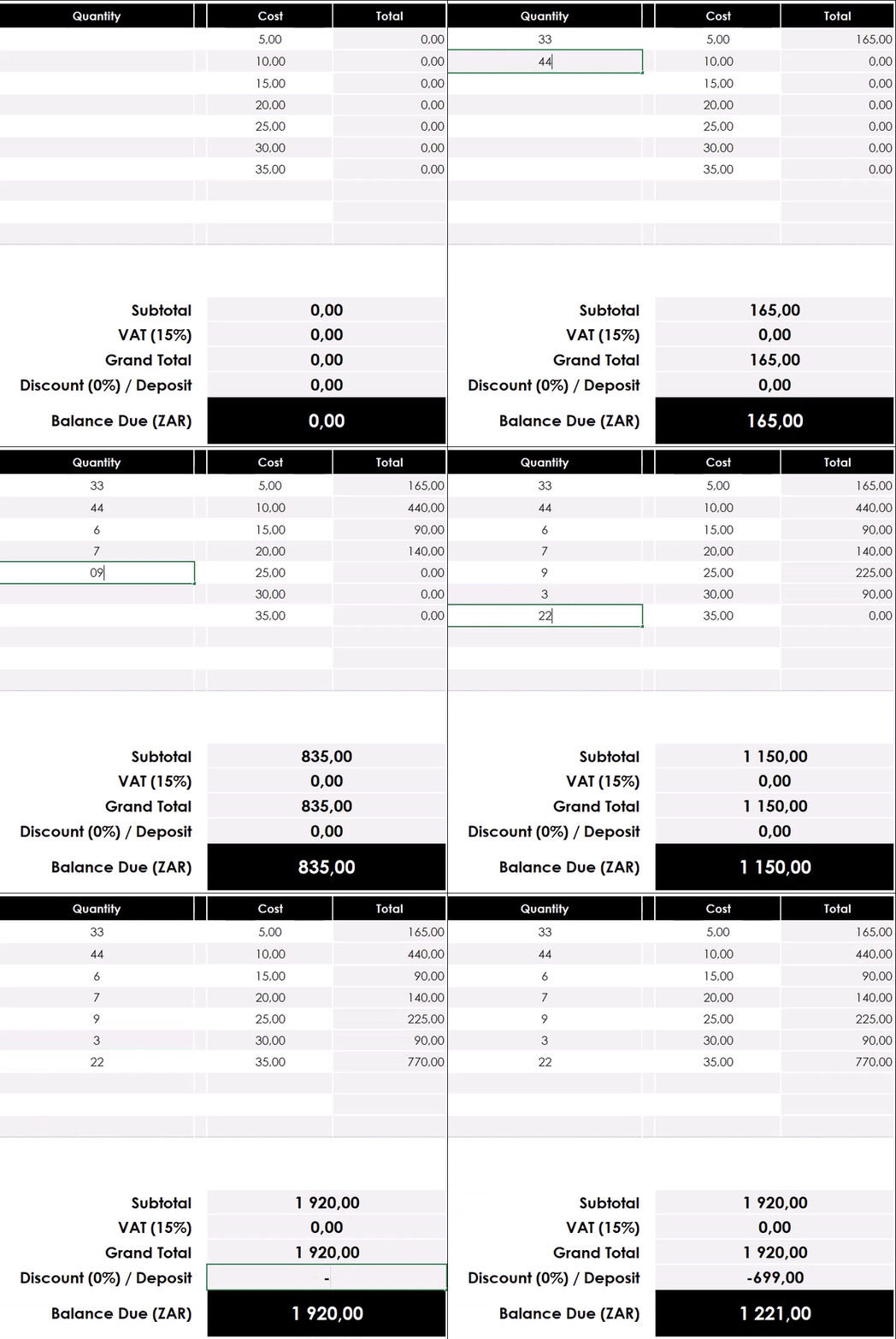
Easily Track Payment Status with a Click!
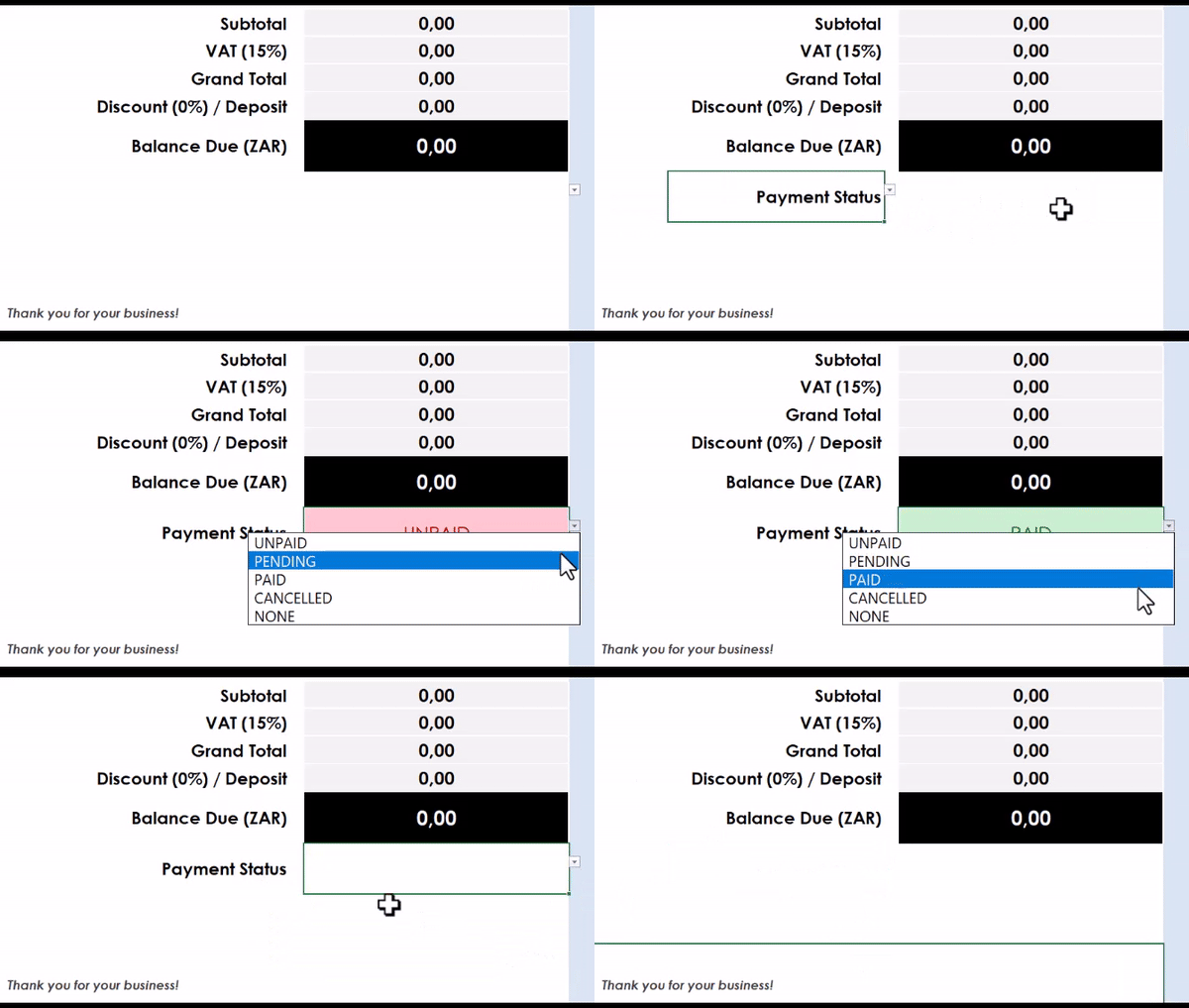
Simplify your invoicing process with our invoice template, featuring a user-friendly payment status button. With just one click, you can track payments as Paid, Unpaid, Pending, Cancelled, or None. This feature keeps your billing organized, letting you instantly know which invoices need attention. You’ll save time, reduce errors, and gain more control over your cash flow. Perfect for small businesses looking to stay on top of their finances effortlessly!
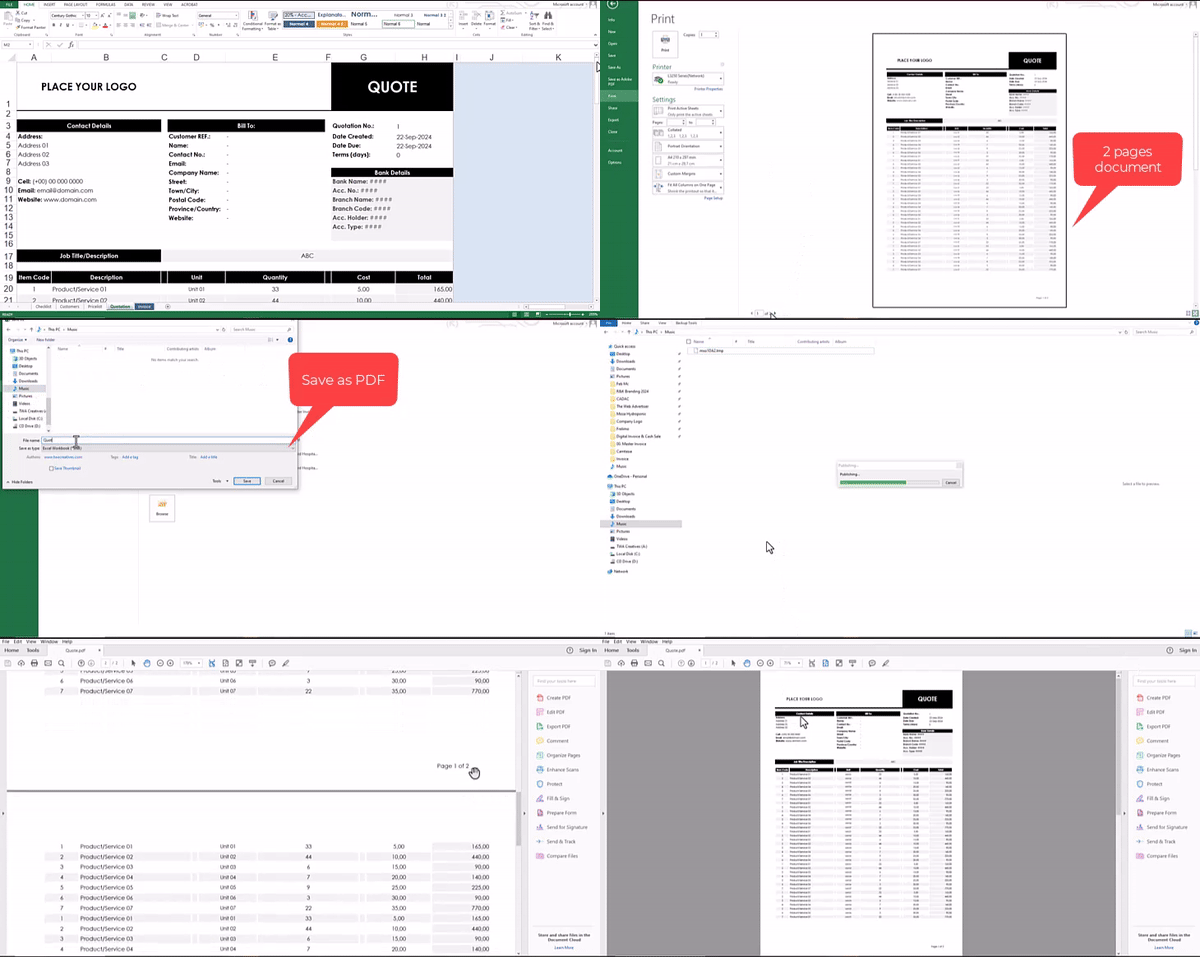
Present your invoices like a pro! With our Multipage Print option, no matter how many items or services you’re invoicing, it all fits perfectly across multiple pages in the same document. This feature ensures that your clients receive clean, well-organized pdf invoices every time.
Once you buy, it’s yours forever! With Lifetime Access, you’ll always have the tools you need, even if your business grows. No recurring costs, no subscriptions—just a one-time purchase for all the invoicing help you’ll ever need.
Simplify Your Invoicing Process with Easy-to-Use Excel Templates
Managing your business finances doesn’t have to be complicated! With our two Excel invoice templates, you can effortlessly streamline your invoicing process—whether you’re offering services or products.
Who am I?
My name is Feb, graphic & web designer and content creator. Over the past 2 years I have gone from struggling freelancer charging R3000 for a website to booking projects starting at R15000+/month.
These are the exact systems and templates I use to streamline my workflow and manage my graphic and web design business. If you’ve ever purchased one of our design services, you may already be familiar with this invoice template.
Manage Invoices on Your PC or Laptop
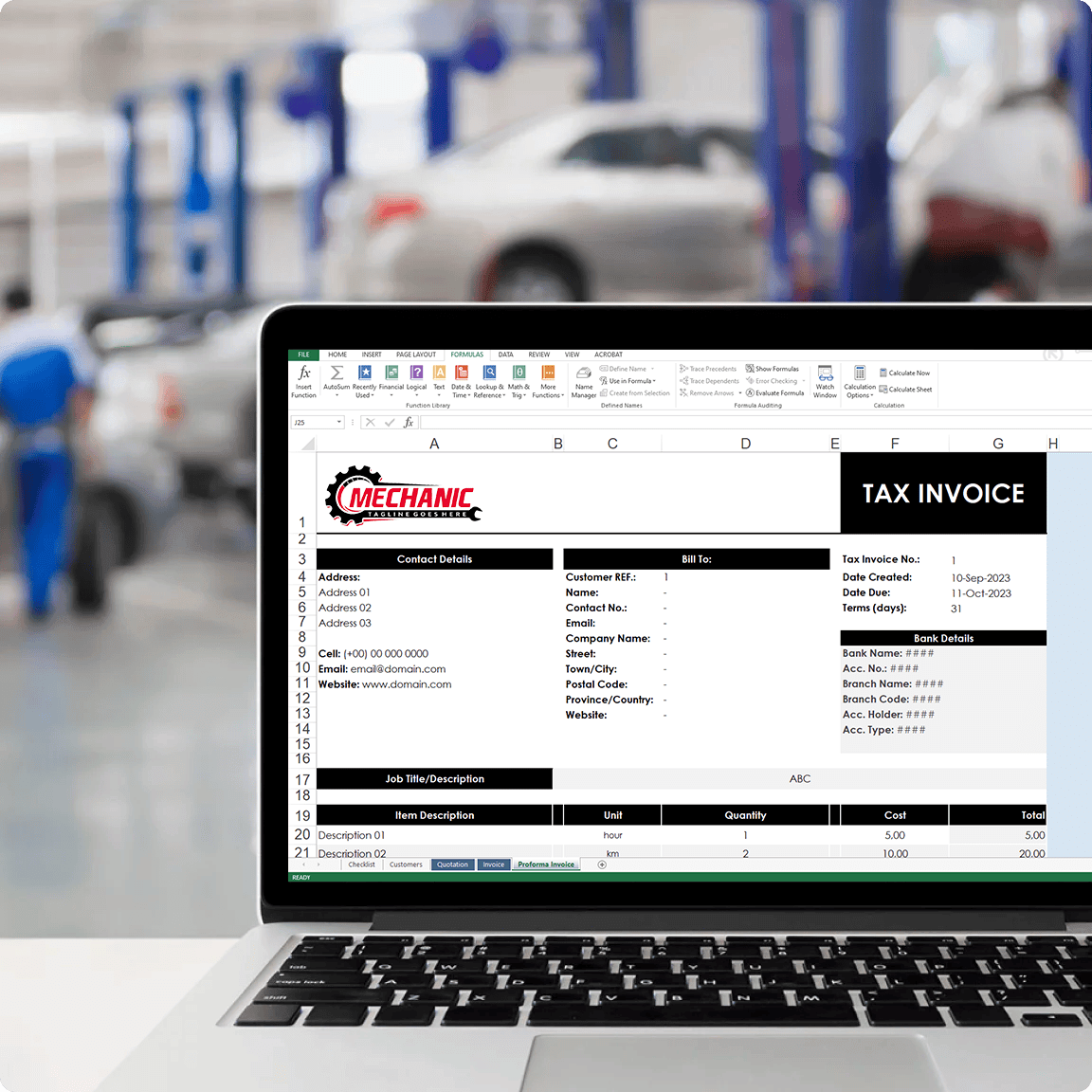
Creating invoices on a PC or laptop gives you a larger workspace, making it easier to manage customer information, products, pricing, and payment records. Whether you’re in the office or working from home, you can quickly create professional invoices, quotes, and tax invoices without feeling restricted by a small screen.
- Faster data entry with a full keyboard
- Easily manage large customer and product databases
- Better for printing and saving PDF invoices
- Ideal for businesses that send multiple invoices every day
- Keep all your business records organized in one place
With everything visible on one screen, invoicing becomes quicker, more accurate, and less stressful.
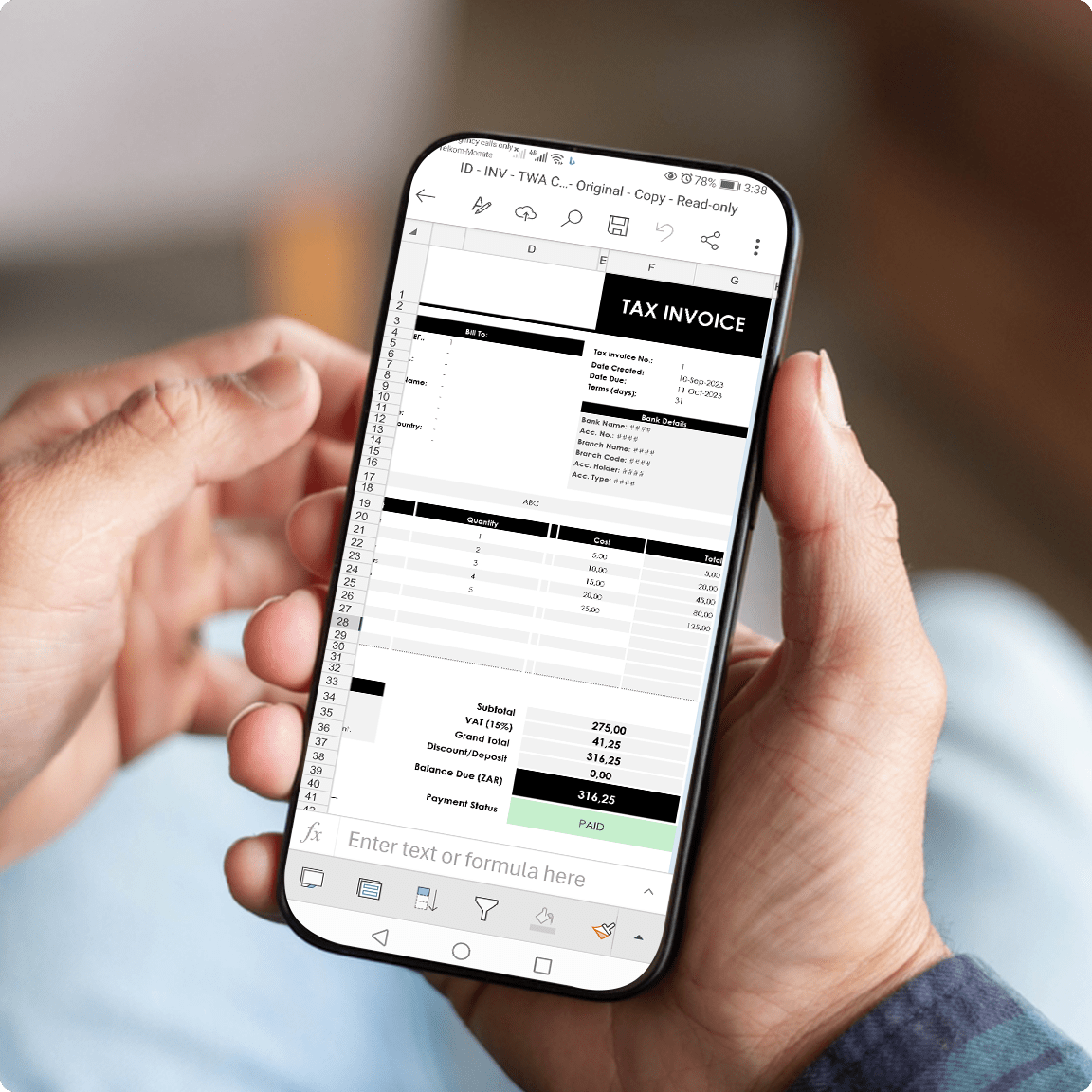
Manage Invoices Anywhere From Your Phone
Your business doesn’t stop when you’re away from your desk. With this invoice template, you can create, edit, and send invoices directly from your mobile phone using Microsoft Excel.
Whether you’re visiting a client, on a job site, or travelling, you can invoice customers immediately and get paid faster.
- Create invoices on the spot
- Send quotes while meeting clients
- Access your files anywhere
- No laptop required
- Perfect for freelancers, contractors, technicians, and owner-operators
Instead of waiting until you get home, you can send a professional invoice the moment the work is completed.
Latest Projects
Lorem ipsum dolor sit amet, consectetur adipiscing elit. Mauris cursus, sapien vel ornare varius, libero justo lacinia urna, ut faucibus tellus ligula quis ligula.
Real Customer Reviews
I used to create invoices manually every time a client requested one. This template helped me send professional invoices in minutes. The automatic calculations save me a lot of time.
The setup was straightforward and I added my logo within a few minutes. My invoices now look much more professional and clients take my business more seriously.
I was considering a monthly invoicing software subscription, but this template does everything I need. It’s simple, affordable, and works perfectly on my laptop.
Before using this template, I spent too much time creating invoices from scratch. Now I can create and send an invoice in less than two minutes.
The invoice, quote, and tax invoice templates cover everything I need. It keeps my records organized and makes my business look more professional.
Being able to send invoices immediately after completing a job has improved my cash flow. Clients receive professional invoices instantly.
FREQUENTLY ASKED QUESTIONS
Here are some of our most frequently answered graphic design questions and answers.
Who is this template for?
Perfect for freelancers, contractors, consultants, service providers, owner-operators, and small business owners who need a professional way to send invoices, quotes, and tax invoices.
Do I need advanced Excel skills?
No. The template is beginner-friendly and includes a step-by-step video tutorial showing exactly how to use it.
Can I use it on my phone?
- Yes. The template works on Android, iPhone, PCs, and laptops using Microsoft Excel.
Can I add my logo and business details?
Absolutely. You can customize your logo, business information, colors, and invoice details to match your brand.
What types of documents are included?
You can create:
- Quotation
- Invoice
- Tax Invoice
- Proforma Invoice
- Proof of Order
Everything you need to bill customers professionally. Just change the document type on the right top cell and you are good to go.
Will the calculations be done automatically?
Yes. Totals, taxes, and pricing calculations are automated to help reduce mistakes and save time.
Can I track paid and unpaid invoices?
Yes. The built-in payment status feature allows you to mark invoices as Paid, Unpaid, Pending, Cancelled, or None with a single click.
Do I pay monthly fees?
What happens after I purchase?
You’ll receive immediate lifetime access to download the template along with a video tutorial showing you how to set everything up and start invoicing customers.
Is this better than creating invoices manually?
Yes. Instead of creating invoices from scratch every time, your customer details, pricing, calculations, and invoice layouts are already prepared, helping you create professional invoices in minutes rather than hours.
Copyright © 2022 – 2026 The Web Advertiser Creatives (Pty) Ltd.